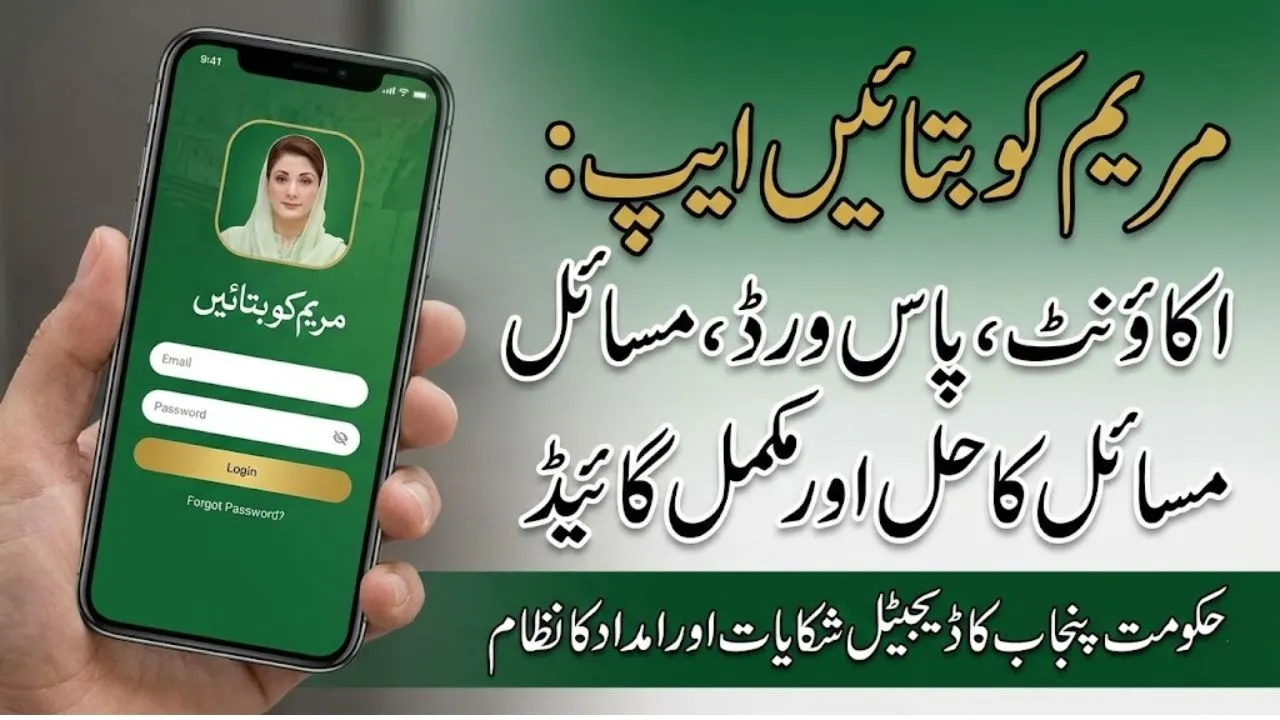
Maryam Ko Batayn App: Account Creation, Apply, & Fix Common Problems, Complete Step-by-Step Guide
The Government of Punjab has introduced the Maryam Ko Batayn app to help citizens easily report problems and apply for financial assistance and relief schemes. Many people are excited about this digital service, but some users are facing issues such as password errors, app not showing in the Play Store, OTP problems, and application rejection.
This complete guide explains everything in simple English. You will learn how to install the app, create an account, fix common problems, and submit your request properly so your application has a better chance of approval.
If you carefully follow each step, you can use the Maryam Ko Batayn Program smoothly.
What Is the Maryam Ko Batayn App?
The Maryam Ko Batayn app is an official mobile application launched by the Government of Punjab. It allows citizens to:
- Submit complaints directly
- Apply for financial help
- Request support under schemes like Ramzan Relief
- Report local problems in their area
- Track application status
In simple words, the app creates a direct digital connection between citizens and the Punjab government’s support system.
Important: The app is mainly for residents of Punjab.
Key Benefits of Using the App
Before we move to the steps, here are the main advantages:
- Easy online complaint system
- Apply for Nigehban Ramzan Package
- Track pending, approved, or rejected requests
- Quick verification through CNIC
- Direct communication channel with government teams
Most people are using it for 10,000 Nigehban Ramzan Package relief requests and other assistance programs.
How to Download the Maryam Ko Batayn App
Some users cannot find the app on the Play Store. Follow these steps carefully.
Step-by-Step Installation
- Open Google Play Store on your mobile.
- Tap the search bar.
- Type: Maryam Ko Batayn App Link.
- Look for the official Punjab Government app.
- Tap Install.
If the App Does Not Appear
Try these methods:
- Search only Maryam
- Check spelling carefully
- Scroll ads below in the search results
- Update your Play Store
Usually, one of these methods solves the problem.
How to Create an Account (Signup Process)
After installing the app, the next step is registration.
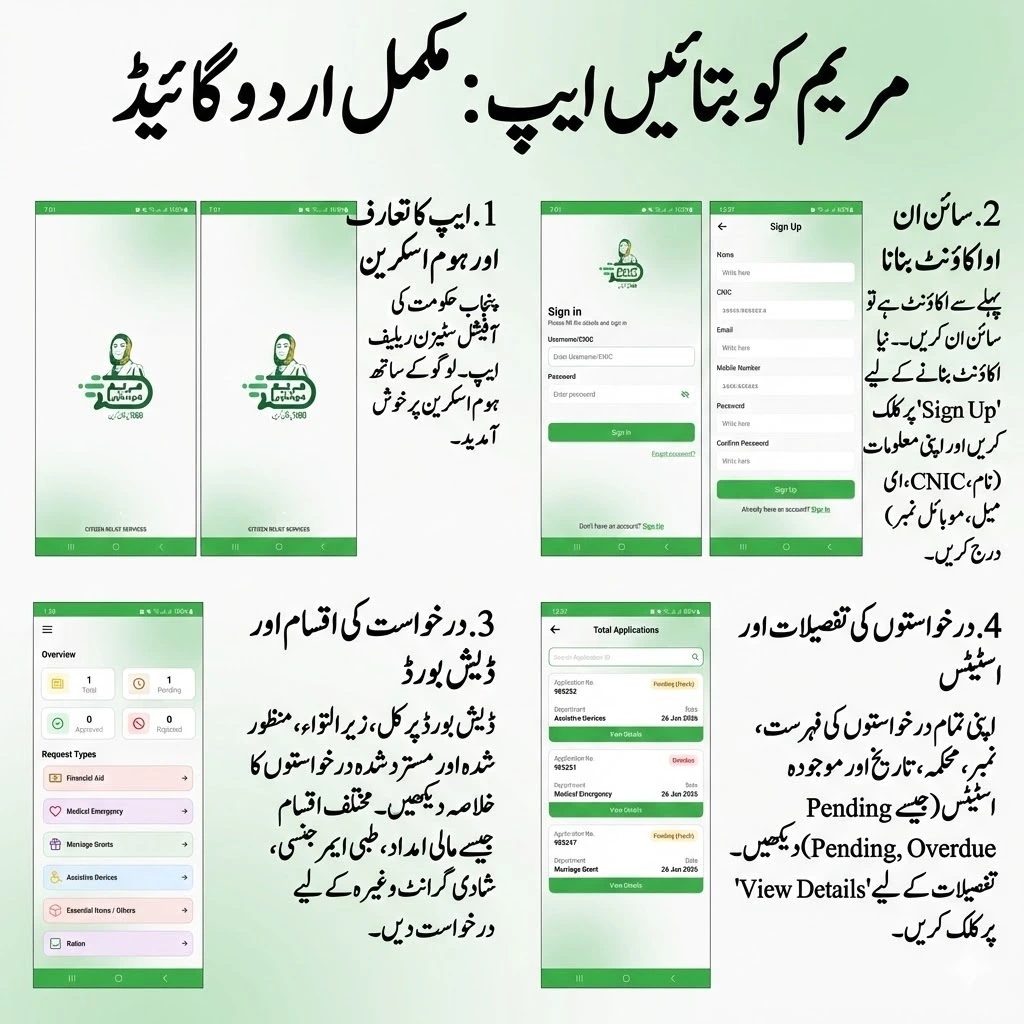
Step-by-Step Account Creation
- Open the app.
- Tap Sign Up.
- Enter your full name.
- Enter your CNIC number.
- Provide your email address.
- Enter your active mobile number.
- Select your date of birth (same as CNIC).
- Choose your gender.
- Create a strong password.
- Tap Sign Up.
After this, you will receive an OTP verification code on your mobile.
Important: Use an Active Mobile Number
Many users do not receive the OTP because of this mistake.
✔ Use the SIM that is currently in your phone
✔ Make sure the number is working
✔ Ensure signals are available
✔ Do not use someone else’s inactive number
If the OTP does not arrive, your account will not be created.
Password Issue – How to Fix It
One of the most common problems in the Maryam Ko Batayn app is password rejection.
Password Rules (Very Important)
Your password must have:
- Minimum 8 characters
- At least one capital letter (A-Z)
- At least one small letter (a-z)
- At least one number (0-9)
- At least one special symbol (@ # *)
Example Passwords
You can use patterns like:
- Ali#786
- Power@2026
- Ahmed*123
Tip: Use your own unique password for security.
Common Password Mistakes
Avoid these errors:
- Using less than 8 characters
- No capital letter
- No special symbol
- Different password in confirm field
Always copy and paste the same password in both fields.
OTP Verification – Final Step of Registration
After signup:
- You will receive an OTP code.
- Enter the code in the app.
- Tap Verify.
- Now log in using CNIC and password.
Once logged in, the dashboard will open.
Understanding the App Dashboard
After login, you will see different sections showing your request status:
- Total Requests
- Pending Applications
- Approved Requests
- Rejected Requests
This helps you track your application easily.
How to Apply for a Financial Grant
If you need financial help, follow these steps.
Step-by-Step Application
- Open the app dashboard.
- Select Financial Grant.
- Allow required permissions.
- Fill in your personal details.
- Upload required documents.
- Write your request in detail.
- Submit the application.
Usually, the process has three steps. Complete all carefully.
What Documents Should You Upload?
Many users are confused about attachments.
You can upload:
- CNIC photo
- House picture
- Income proof (if available)
- Disability or medical documents (if applicable)
Tip
Upload clear photos. Blurry images may cause rejection.
What to Write in “Detail of Request”
This section is very important. Write clearly why you need help.
Good Example
You may write in English or Urdu:
I am a poor married person with children. I need financial help for household expenses and Ramzan ration.
Important Points to Mention
- Your financial condition
- Family size
- Employment status
- Reason for assistance
Note: This program is mainly for married and deserving families, not single individuals.
After Submission – What Happens Next?
Once you submit:
- You may receive confirmation from 8070
- Your request is marked as received
- The Punjab government team verifies your data
Expected Timeline
- Pending review: 1–3 days
- Immediate rejection: if not eligible
- Approval: after successful verification
If approved, payment is sent to your provided wallet.
Where Will You Receive the Money?
If your application is successful, the amount may be transferred to:
- Easypaisa
- JazzCash
- Other provided wallet account
Make sure the account number you enter is correct and active.
What If Your Application Is Rejected?
Do not panic. You can apply again.
Steps to Reapply
- Open the app.
- Submit a new request.
- Write a clearer explanation.
- Mention family details properly.
- Upload better documents.
Important Advice
When reapplying, clearly mention:
- You are married
- You have dependents
- You are financially struggling
- You need assistance urgently
Better explanation increases approval chances.
Common Problems and Quick Solutions
App Not Showing
- Check spelling
- Update Play Store
- Search using only “Maryam Ko Batayn”
OTP Not Received
- Use an active SIM
- Check network
- Wait 1–2 minutes
Password Not Accepting
- Use 8+ characters
- Add a capital letter
- Add symbol
- Add number
Application Pending Too Long
- Wait at least 3 days
- Check status in the dashboard
- Ensure documents are clear
Pro Tips to Increase Approval Chances
Follow these expert tips:
- Provide real and honest information
- Use clear document photos
- Write a detailed request
- Use your own CNIC and number
- Ensure wallet account is correct
- Do not submit multiple fake requests
Remember, all data is verified through your CNIC.
Who Can Apply?
Generally, eligible people include:
- Low-income families
- Deserving married applicants
- People needing Ramzan support
- Citizens facing financial hardship
- Punjab residents
Eligibility may vary depending on the scheme.
Official Source
The Maryam Ko Batayein app is launched by the Government of Punjab to improve citizen support and complaint handling. Always download the app from the official Google Play Store listing.
Conclusion
The Maryam Ko Batayn app is a helpful digital platform for Punjab residents who want to report issues or apply for financial assistance. While many users face problems like password errors, OTP delays, or application rejection, most issues can be solved by carefully following the correct steps.
To succeed, make sure you:
- Install the official app
- Use an active mobile number
- Create a strong password
- Upload clear documents
- Write your request properly
- Enter the correct wallet account
If your application is rejected, you can apply again with better details. With the right approach, many deserving families can benefit from this program.
To make the process easier and more transparent, the government has also activated the official 1000 helpline, which is dedicated to this service. Beneficiaries can call this helpline to check eligibility, file complaints, get guidance about the Nigehban Card, or report any illegal deductions or issues during payment collection.